A melody from a favourite film, a few familiar chords, the desire to play something for yourself — this is often how an interest in piano begins. Then the objections appear: “I should have learned as a child,” “I can’t read music,” “There’s no room in my flat.” Modern digital instruments and learning apps help you move beyond these doubts and towards your first lesson.
Adult beginners have a significant advantage: they choose why they want music in their lives. Some want to play pop ballads, others want to explore film soundtracks, while some simply need half an hour in the evening devoted to a personal interest. There are no compulsory recitals and no need to compare yourself with anyone else.
To get started, you need a compact digital piano, a smartphone or tablet, and 20–30 minutes of regular practice. You can learn music notation, rhythm and harmony gradually, connecting them directly to the music you play. Your first simple melodies do not require years of prior ear training or music theory, although confident, expressive playing naturally develops with experience.
How a Smartphone Becomes Your Learning Assistant
A learning app helps solve a familiar problem when starting independently: not knowing what to practise today or how to assess the result. Instead of watching random video lessons, you get a sequence of manageable tasks that you can complete at your own pace.
Simply Piano and flowkey offer interactive learning, while Synthesia lets you follow moving “note tracks” and practise each hand’s part separately. Depending on the app and mode, you see prompts, play your instrument and receive feedback. Short exercises and visible progress make repetition more meaningful and encourage you to keep going.
GarageBand on iPhone and iPad is useful for creative experiments: recording your playing, working with virtual instruments and adding accompaniment. You can use it as a home music workshop alongside your learning course.
Microphone or MIDI: How the App Receives Information About Your Playing
The simplest way to begin with an app that supports acoustic note recognition is to allow microphone access. Your phone listens to the piano and identifies the notes you play. This is convenient for your first attempts, although a television, nearby conversations or low instrument volume can interfere.
A MIDI connection works differently: the app receives digital messages about key presses. It does not need to separate your melody from household noise. This provides much more reliable recognition and lets you practise with headphones while the piano’s speakers are switched off. It would be inaccurate to guarantee absolute precision under all conditions, but direct data transmission offers a substantial advantage for learning.
The setup process is straightforward: choose an app, check its compatibility with your phone and instrument, prepare a data cable and the necessary adapter, then select your piano in the MIDI settings. Android devices may require an OTG connection, while Apple devices need an appropriate compatible adapter.
A wireless connection is possible when both sides support Bluetooth MIDI. A Bluetooth label on the instrument alone does not confirm this feature: audio transmission and MIDI are different capabilities. Support also depends on the app and operating system. For example, Simply Piano currently supports Bluetooth MIDI on iPhone and iPad, but not on Android.
Why It Is Worth Choosing 88 Full-Size Keys When Starting Piano
When buying your first instrument, it is easy to focus on price and compactness. However, if your goal is specifically to learn piano, pay attention to key size, touch sensitivity and the available range.
The number of keys and their size are separate specifications. Some 61-key instruments have full-size keyboards, and a reduced range can be sufficient for simple melodies. However, 88 keys give you more freedom to expand your repertoire and reduce the likelihood of needing to replace the instrument later because you run out of low or high notes.
A standard full-size keyboard helps you become accustomed to conventional distances between notes from the outset. Your fingers gradually learn chord shapes, while your hands become familiar with moving between registers. After learning on mini keys, you would need to adapt these movements.
A full keyboard range makes it easier to progress from a simple melody to playing with both hands, pop ballads, compositions by Ludovico Einaudi and piano arrangements of Hans Zimmer’s music. The difficulty of a performance will depend on your skills and the version of the piece you choose.
The keyboard action also matters. Full-size keys establish the physical layout, while a hammer-action keyboard adds resistance that approaches the feel of an acoustic piano. If you plan to work consistently on piano technique, this feature deserves particular attention.
A Home Music Space Without a Separate Room
A digital piano needs only a thoughtfully chosen spot on a stable stand or suitable table. The height should allow you to sit without raising your shoulders, with your forearms roughly level with the keyboard and your feet supported. Position your tablet or phone so you can see the prompts without constantly tilting your head.
Headphones help you feel more at ease: you can slowly repeat a difficult passage, make mistakes and start again without worrying about the music disturbing your household. The mechanical tapping of the keys remains, but you hear the instrument’s sound through your headphones. Wired headphones are convenient for practice because they avoid wireless audio latency.
A compact body makes storage easier, while a carrying case lets you put the instrument away after a lesson. Whenever possible, however, leave it ready to play: the less preparation a lesson requires, the easier it is to make practice a habit.
Musicality FP88: When Low Weight and Flexible Placement Matter
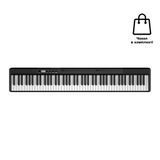
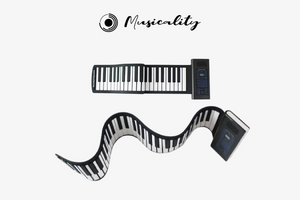
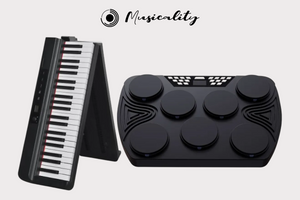
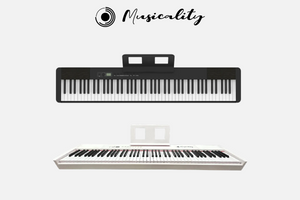
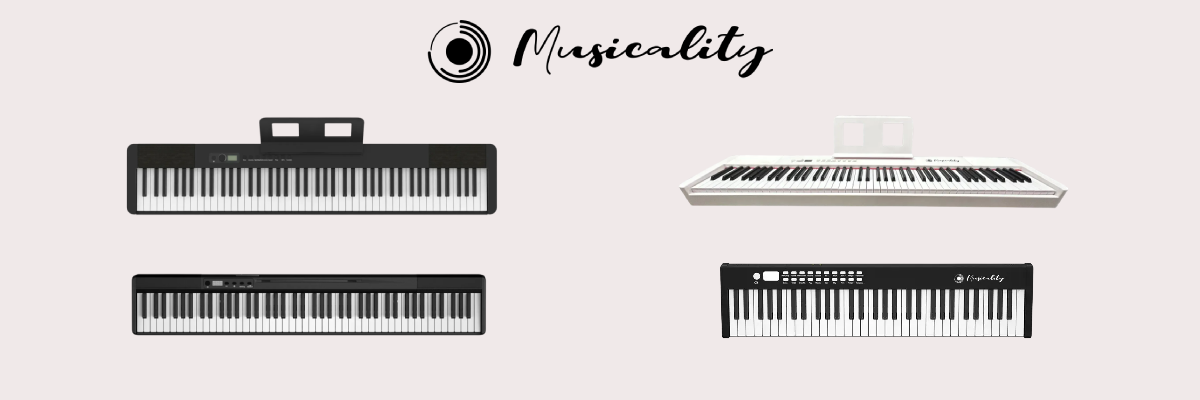
If you need to set up your practice space afresh each time, consider the Musicality FP88 FirstPiano. The instrument has 88 full-size semi-weighted keys and weighs 4.5 kg, making it easy to carry between rooms. Its built-in rechargeable battery lets you practise without always needing a nearby power socket.
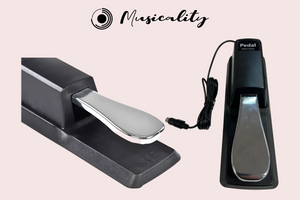
The metronome helps you develop a steady pulse, while the built-in rhythms let you try playing with accompaniment. A headphone output supports quiet practice, and MIDI support enables work with compatible music software. A carrying case and sustain pedal are included, so you do not have to assemble your entire starter setup separately.
Musicality RP61-BK: When You Need an Affordable Instrument for Regular Practice
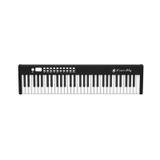
The Musicality RealPiano is equipped with 61 full-size keys. Their touch sensitivity lets you explore the difference between softer and louder playing, while the slim aluminium-alloy body is suitable for home practice and transport.
The built-in metronome helps you maintain tempo, learning modes offer additional exercise options, and USB-MIDI enables work with compatible software. The model weighs 7.5 kg and comes with a carrying case. It is a practical option for a beginner who wants a full keyboard range while keeping an eye on the budget.
Musicality HP88: When Keyboard Feel Becomes a Priority
The Musicality HP88 HammerPiano is worth considering if you want to practise on a hammer-action keyboard from the beginning. Its 88 keys allow you to work on hand coordination, control of your touch and expressive phrasing.
The built-in metronome supports daily exercises, while the recording function lets you listen back to your performance and notice uneven rhythm or hesitant transitions. USB/MIDI connectivity and a headphone output are provided, and a carrying case is included. The sustain pedal for this model is purchased separately.
A 25-Minute Plan: A Practice Session That Fits Into Your Working Day
At the beginning, it is more useful to set a small, specific goal than to try to play an entire piece immediately. For example, today you might aim to play two bars confidently with your right hand; tomorrow, you can add a simple bass part.
Minutes 0–5 — gentle warm-up and coordination. Play a few neighbouring notes with each hand, a simple five-finger exercise or a familiar section of a scale. Set the metronome to a comfortable tempo. Keep your shoulders and wrists relaxed: speed is secondary at this stage.
Minutes 5–15 — an interactive lesson. Choose one task in the app: a new chord, a short bar or a combination of two simple parts. Repeat the difficult section separately, using a slower playback speed or a wait mode if available. Finish this block with several confident repetitions.
Minutes 15–20 — a passage from a favourite piece. Use a beginner arrangement and a tempo that gives you time to think through your movements. Practise each hand separately first, then try bringing them together. If you wish, add a simple built-in rhythm or accompaniment from the app. Drum Kit mode is generally intended for playing percussion sounds and does not, by itself, mean automatic drum accompaniment.
Minutes 20–25 — music for enjoyment. Repeat a familiar melody, invent your own ending or play a few chords while listening closely to their sound. These minutes leave room for the curiosity that inspired you to start learning.
At the end, make one brief note: what went well and where you will begin next time. On a busy day, you can shorten your practice to a few minutes. A manageable, regular routine helps maintain your interest.
An app supports independent practice, while a few lessons with a teacher can help you check your posture, hand position and movements that digital prompts do not assess.
Start With the Melody You Have Always Wanted to Play
As an adult beginner, you do not need to prove that you should have started earlier. You can choose your own pace, a comfortable instrument and music you want to return to.
A smartphone gives your practice structure, a digital piano lets you play at home, and short daily lessons gradually turn unfamiliar movements into established skills. This is time for focus, coordination, creativity and personal enjoyment. To make it part of a digital detox, switch off notifications and leave only the lesson on your screen.
Explore the Musicality catalogue, choose a piano that suits your space and lifestyle, and begin your musical journey this week.